Indiana Google Ads Clicks No Leads Help | Sunrise To Noon
Why Are My Google Ads Getting Clicks but No Leads?
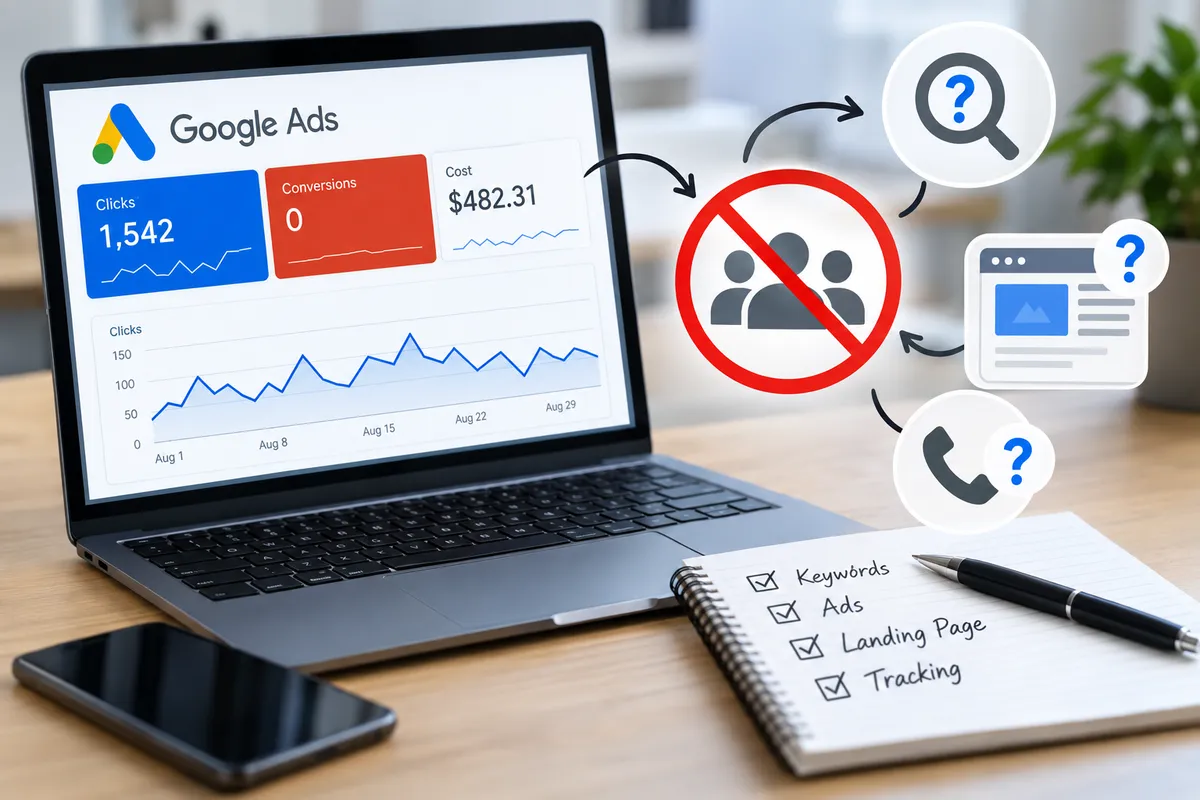
Quick Answer: If your Google Ads are getting clicks but no leads, the problem is often poor traffic quality, weak ad-to-search relevance, a landing page that does not convert, or inaccurate conversion tracking. Before increasing your budget, review your search terms, keyword targeting, ad message, landing page, and conversion setup to find where the lead process is breaking down.
Getting clicks without calls, forms, or real leads can waste your budget quickly. The best way to fix the problem is to look at the full path from the search to the lead and find where people are dropping off.
Are the Right People Clicking Your Ads?
Start with your search terms. These show what people actually typed before clicking your ad.
Look for searches tied to jobs, training, DIY help, free services, areas you do not serve, or services you do not offer. These clicks may look useful inside the account, but they are unlikely to become customers.
Do not only look for obviously unrelated searches. Also look for search terms that keep spending money without producing qualified calls or forms. If a search term has used a meaningful amount of budget with no business result, it deserves a closer look even if the wording seems relevant.
Check Keyword Intent
A keyword can relate to your service without showing strong buying intent.
For example:
how does mold removal work
is different from:
mold removal company near me
The second search is much closer to a hiring decision.
If your goal is lead generation, most of the budget should support searches that show clear service intent.
Review Match Types and Negative Keywords
Broad targeting can bring in searches that are only loosely related to your service.
Review your match types together with the actual search terms that triggered your ads. If weak or unrelated searches keep appearing, you may need tighter targeting or additional negative keywords.
Common negative keywords for some local businesses may include jobs, salary, training, DIY, free, used, or wholesale. The right list should come from your actual search-term data, not only from a generic template.
Does the Ad Match What the Searcher Wants?
Your ad should closely match the reason someone searched.
If a person searches:
emergency furnace repair
but the ad only says:
Heating and Cooling Services
the message may be too general.
A better ad should clearly show the service, the area served, and the next step.
That next step might be to call for service, request an estimate, schedule an inspection, or book a consultation.
The goal is simple: make it obvious that the ad matches the problem the searcher is trying to solve.
Is the Landing Page Hurting Conversions?
If the search terms look relevant but visitors still do not call or submit a form, the landing page is the next place to investigate.
The page should quickly explain what service you offer, where you offer it, why someone should trust you, and what they should do next.
If someone clicks an ad for a specific service, send them to the most relevant page available. A general homepage may not answer the exact question or problem that caused them to click.
Make the Main Message Clear
The main heading should clearly explain the service.
Avoid vague headlines such as:
Welcome to Our Website
A visitor should know within seconds that they are on the right page.
Make the Next Step Easy
Your phone number, form, and main call to action should be easy to find, especially on mobile.
Check that the phone number is clickable, the form works, the CTA is visible, the page loads properly, and nothing blocks the screen.
Forms should also be simple. Only ask for information you actually need. Every extra field gives the visitor another reason to stop.
Add Real Trust Signals
Someone clicking your ad may know nothing about your business.
Use real trust signals such as customer reviews, years of experience, certifications, licenses, awards, professional memberships, and real business photos.
Do not add generic badges or unsupported claims just to make the page look more trustworthy.
Is Your Conversion Tracking Accurate?
Sometimes leads are happening, but Google Ads is not recording them correctly. Other times, the account shows conversions that are not real leads.
Both problems make the campaign harder to optimize.
Test your forms yourself. Confirm that the form submits, the business receives the lead, the thank-you page or message works, and the conversion is recorded correctly.
If phone calls matter, test call tracking too. Check calls from ads, calls from the website, click-to-call buttons, and call duration.
Track Real Leads, Not Just Activity
Google Ads should separate actions that represent real leads from actions that are only useful for analysis.
Completed forms, qualified phone calls, appointment requests, and quote requests may be used as primary conversions.
Page views, scrolls, or simple button clicks are often better treated as secondary signals.
If weak actions are being used as primary conversions, automated bidding may optimize toward activity that does not create real leads.
That can make the account look healthier than it really is.
What Is a Good Google Ads Conversion Rate?
There is no single good conversion rate for every business.
Results vary based on industry, location, service, search intent, device, landing page, offer, and how a conversion is defined.
A better question is:
Are we getting qualified leads at a cost that makes sense for the business?
A campaign with a higher conversion rate is not automatically better if those conversions are poor-quality leads.
What if the Leads Are Low Quality?
If leads are coming in but they are not useful, review the targeting again.
Look at search terms, negative keywords, location settings, ad wording, and how clearly the service is explained.
Then review the actual leads.
Were they in your service area? Did they need the service you offer? Were they a real potential customer? Did they move forward?
Those answers are more useful than the conversion count alone.
Should You Increase Your Budget?
Not yet.
If your ads are already getting clicks but not generating leads, increasing the budget may only create more wasted clicks.
Fix the main problem first.
Review the search terms, targeting, ad message, landing page, forms, phone tracking, and conversion setup. Once those areas are working properly, you can make a better decision about whether more budget makes sense.
A Simple Google Ads No-Lead Check
When a campaign gets clicks but not leads, review four areas.
Traffic: Are the right people clicking? Check search terms, keyword intent, match types, negative keywords, and location targeting.
Ad: Does the message match the search? Check the service, location, offer, and next step.
Landing Page: Does the page make it easy to act? Check the heading, mobile layout, form, phone number, trust signals, and CTA.
Tracking: Are real leads being measured correctly? Check forms, calls, thank-you pages, primary conversions, and secondary actions.
This keeps the diagnosis simple and helps you avoid changing too many things at once.
Why Ongoing Google Ads Management Matters
Launching the campaign is only the beginning.
As search-term, conversion, and lead-quality data builds, budget can be shifted away from weak searches and toward campaigns, services, and locations that are producing better opportunities.
Good Google Ads management uses that data to decide where budget should go. Weak searches can be reduced or blocked, stronger services can receive more budget, and landing pages can be improved when qualified traffic is not converting.
For local businesses, this matters because every wasted click uses budget that could have gone toward a stronger lead.
Your Google Ads Should Produce More Than Clicks
Clicks only matter if they help generate real business.
Sunrise To Noon reviews search terms, targeting, ads, landing pages, conversion tracking, and lead quality to find where performance may be breaking down.
Request a Google Ads diagnostic from Sunrise To Noon to find out where your campaign may be losing leads.
